Behavioral Health Learning Library: Getting Started
This guide offers tips to get started in the Behavioral Health Learning Library.
If you need additional assistance, please contact us at BHEducation@NationwideChildrens.org.
Step 1: Create an Account
- Go to the BHLL registration page.
- Add your name, email, and create a password.
- Your group code should auto-populate.
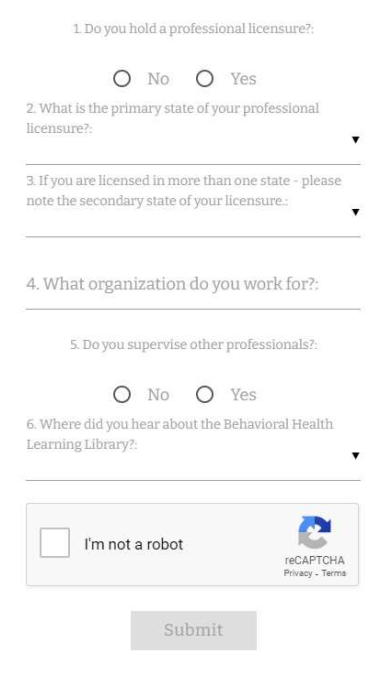
- Answer a few key questions.
- Click submit.
Step 2: View Your Dashboard
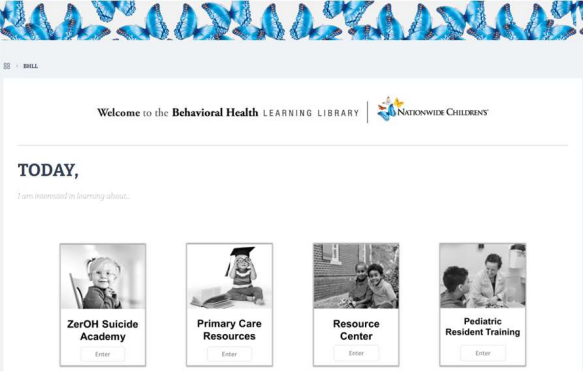
- View your dashboard.
- Click a curriculum to start.
Step 3: Take Courses and Download Your CE Certificate
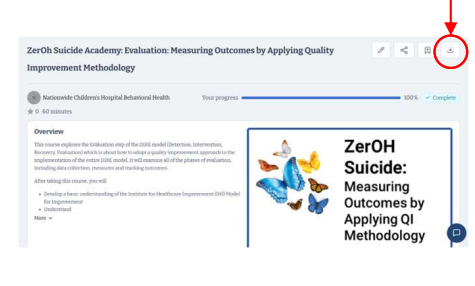
- Click ‘Start’ and complete the entire course to receive CE credit.
- Once complete, click to download your CE certificate.